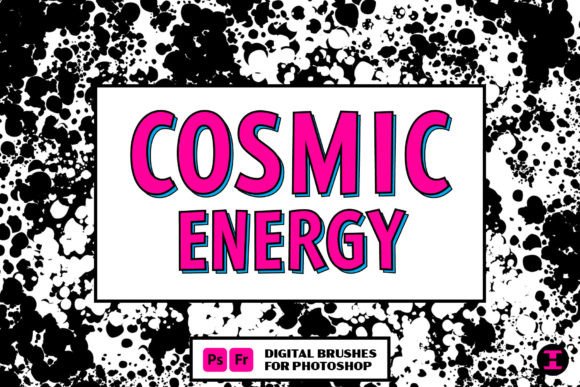
Integrating Cosmic Energy Photoshop Brushes into Professional Digital Workflows
In the fast-paced world of digital design, efficiency and distinct visual identity are paramount. Whether you are a freelance illustrator, a marketing agency art director, or an independent content creator, the tools you choose define not just the aesthetic outcome but the speed at which you can deliver high-quality work. Cosmic Energy Photoshop Brushes represent more than just a collection of digital stamps; they are a specialized asset designed to streamline the creation of complex, high-energy visual effects. By understanding how to integrate these brushes into your existing pipeline, you can significantly reduce manual rendering time while maintaining a consistent, professional standard.
Understanding the Asset Within Your Creative Process
Before diving into technical application, it is essential to categorize where this tool fits within a broader project lifecycle. Cosmic Energy Photoshop Brushes are primarily utility assets used during the detailing and texturing phases of a composition. They are not standalone solutions but rather accelerators that interact with layer masks, blending modes, and color grading techniques. For professionals managing tight deadlines, such as those in advertising or editorial publishing, these brushes serve as a bridge between concept and final polish.
The core value proposition lies in the duality of control offered by the pack. As noted in the product description, users have total control through pressure-sensitive strokes or can opt for randomized scatter effects. This flexibility allows the tool to adapt to different stages of workflow. In the initial brainstorming phase, the scatter brushes can help generate unexpected compositional elements, breaking creative blocks. In the final refinement stage, the pressure-controlled brushes allow for precise, hand-crafted details that align with specific client directives.
Preparation and Compatibility Checks
Successful implementation begins with proper setup. While modern versions of Adobe Photoshop handle third-party brush sets with ease, ensuring your software is updated guarantees full compatibility with dynamic features like tilt sensitivity and opacity flow. For educators and students using institutional licenses, verifying that the brush file format (.abr) is supported by your current version prevents technical disruptions during critical class projects or assignments.
Organization is another critical factor often overlooked by hobbyists and professionals alike. When importing Cosmic Energy Photoshop Brushes, it is advisable to create a dedicated brush group within your Photoshop interface. Labeling this group clearly ensures that you can locate specific tools quickly during intense work sessions. For teams working on collaborative projects, establishing a shared library of approved assets, including these brushes, ensures brand consistency across multiple designers. This standardization reduces the need for extensive revisions later in the process.
Workflow Integration: From Concept to Completion
Integrating these brushes into your daily routine requires a shift from viewing them as decorative extras to seeing them as functional components of your lighting and energy rendering strategy. Here is how they fit into various professional scenarios:
- Comic Book and Graphic Novel Production: The primary use case involves tapping into the classic look of comic book multiverses. Artists can use the scatter brushes to quickly lay down background energy fields, saving hours of manual painting. This allows the artist to focus more on character anatomy and narrative pacing.
- Digital Marketing and Social Media Content: Marketers often need eye-catching visuals for campaigns. Using the pressure-controlled variants, designers can add subtle glowing accents to product photography or typography, enhancing engagement without overpowering the core message.
- Educational Materials and Presentations: Educators creating engaging slide decks or interactive learning modules can use these brushes to highlight key concepts visually. The celestial theme can make abstract scientific topics, such as astronomy or physics, more visually appealing to students.
For entrepreneurs and small business owners who manage their own branding, these brushes offer a cost-effective way to achieve high-end visual effects without hiring external specialists. By mastering a few key techniques, you can produce promotional materials that rival those of larger competitors.
Mastering Control vs. Chaos
The unique selling point of this brush pack is the balance between precision and randomness. Understanding when to use each mode is crucial for quality control.
Utilizing Pressure-Controlled Brushes
When accuracy is required, such as defining the edge of a magical effect or tracing a specific path of energy, pressure-controlled brushes are indispensable. These respond to the input from your graphics tablet, allowing for variable line weight and opacity. This mimics traditional media behavior, providing a natural feel that clients and audiences appreciate. To maximize efficiency, map your tablet’s pressure curve to match your personal drawing style. A softer curve may be better for subtle glows, while a steeper curve offers more dramatic contrast for bold lines.
Embracing Scatter Brushes for Efficiency
Conversely, scatter brushes are ideal for filling large areas with texture or creating complex particle effects instantly. Instead of manually placing hundreds of stars or energy sparks, a single click can generate a dense field of elements. This is particularly useful in the early stages of a project when you are exploring composition. However, reliance on scatter brushes requires careful post-processing. Always review the generated patterns to ensure they do not look repetitive or artificial. Using layer masks to erase unwanted clusters helps maintain a natural, organic look.
Enhancing Quality Through Layer Management
The effectiveness of Cosmic Energy Photoshop Brushes is heavily dependent on how they are layered. Simply painting on the main canvas often results in flat, unconvincing effects. Professional workflows typically involve creating new layers for each brush stroke type. This non-destructive approach allows for easy adjustments to opacity, blending modes, and color balance.
Common blending modes such as Screen, Add, or Color Dodge interact beautifully with the light-based nature of these brushes. Experimenting with these modes can transform a simple white stroke into a vibrant, glowing plasma effect. Furthermore, grouping these effect layers and applying adjustment clips, such as Hue/Saturation or Curves, enables global changes to the color palette. This is vital for maintaining consistency across a series of images or ensuring the effects match the overall mood of the artwork.
Long-Term Use and Skill Development
For freelancers and publishers, investing time in mastering specific toolsets yields long-term dividends. As you become familiar with the nuances of Cosmic Energy Photoshop Brushes, you will develop a personal library of presets and actions that further accelerate your workflow. Documenting your successful combinations of brush settings and blending modes creates a reference guide that can be reused across future projects.
Moreover, staying updated with community tutorials and forums can reveal new ways to utilize these assets. Many creators share custom palettes or layer styles that complement these brushes, expanding their utility. Engaging with these communities not only enhances your technical skills but also keeps you informed about industry trends and best practices.
Conclusion: Strategic Implementation for Better Outcomes
Incorporating Cosmic Energy Photoshop Brushes into your digital toolkit is a strategic move toward greater efficiency and creative versatility. By understanding their role in the preparation, execution, and refinement stages of your projects, you can leverage their capabilities to produce high-quality work faster. Whether you are designing for print, web, or educational media, the ability to switch between controlled precision and chaotic abundance gives you the flexibility to meet diverse client needs.
Remember that tools are only as effective as the workflow surrounding them. Take the time to organize your assets, experiment with blending modes, and refine your tablet settings. With practice, these brushes will become an seamless extension of your creative intent, allowing you to explore celestial worlds and complex visual narratives with confidence and ease. Who knows what celestial world these brushes will take you to next, but with a solid process in place, you will be ready to capture it efficiently.