Paint Can Procreate Brushes: Texture Town
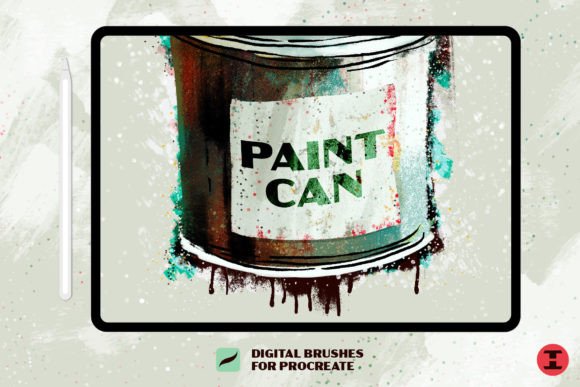
Welcome to Texture Town, population You. If you have ever felt that your digital illustrations look too clean, too sterile, or simply lack the tactile warmth of traditional media, you are not alone. The gap between the physical and digital canvas is often where creativity stalls. This is precisely where Paint Can Procreate Brushes step in to bridge that divide. These tools are not designed for perfection; they are a hot mess of paint textures on purpose. By embracing imperfection, decay, and organic flow, these brushes allow creators to inject soul and grit into their work.
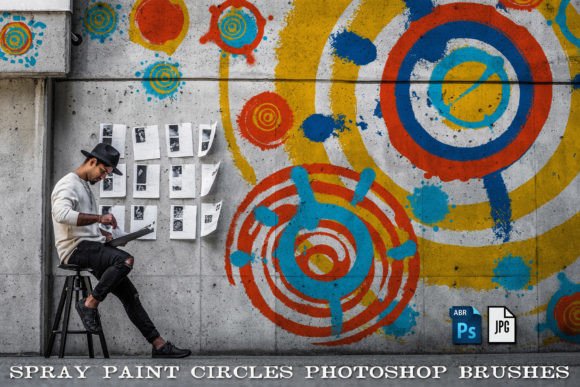
The core philosophy behind this brush set is versatility. They were made to cover a wide range of painting styles for your designs and illustrations, ensuring that whether you are a graphic designer looking for edgy poster elements or an illustrator seeking atmospheric depth, there is a tool that fits your workflow. You will get spatters, sprays, grunge, decay, and NEW grimy blenders to create custom textures and layering in your work. This variety transforms the iPad from a sleek glass slab into a messy, vibrant studio floor.
The Analog Feel in a Digital Space
A unique feature to the Paint Can Procreate Brushes are color-mixing analog effects that mimic the blending of actual paint. In standard digital painting, colors often sit on top of one another with mathematical precision. While useful, this can feel cold. These brushes simulate the viscosity and unpredictability of wet media. When you drag a brush across the canvas, it does not just deposit pigment; it interacts with what is already there.
You can create subtle monochromatic pieces or wild color-blended combinations. This capability is crucial for artists who want to move beyond flat vector styles. Imagine creating a portrait where the shadows are not just darker shades of the base color, but rich, muddy blends that suggest depth and history. Or consider a landscape where the sky transitions through gritty, textured gradients rather than smooth, artificial fades. The result is artwork that feels lived-in and authentic.
Practical Applications for Creators
Understanding the tools is only half the battle; knowing how to apply them to real-world projects is where the value lies. Here is how different professionals can adapt these brushes for their specific goals:
- Graphic Designers and Marketers: Use the spray and spatter brushes to add urgency and energy to promotional materials. A concert poster or a sale announcement gains immediate visual interest when overlaid with gritty textures. It breaks the monotony of clean corporate design and captures attention in crowded social media feeds.
- Illustrators and Concept Artists: The grunge and decay brushes are invaluable for world-building. Use them to age surfaces, rust metal, or weather stone in environment concepts. This adds narrative weight to your images, suggesting that the world exists beyond the frame.
- Educators and Bloggers: Create engaging headers and diagrams that stand out. Instead of using stock photos, hand-draw textured backgrounds that align with your brand’s voice. It adds a personal touch that resonates with audiences tired of generic imagery.
- Small Business Owners: Elevate product packaging designs or thank-you cards. A simple handwritten note over a textured, painted background feels more sincere and premium than a standard printed font.
Mastering Layering and Depth
To get the most out of these tools, you must embrace the concept of layering. The grimy blenders included in the set are not just for smoothing edges; they are for creating complex interactions between colors. Start with a base layer of solid color. Then, use a spatter brush to introduce random variation. Follow this with a grunge brush to subtract or obscure parts of the image, creating negative space and visual rhythm.
This process mimics the traditional painter’s approach of building up and scraping back. It prevents your work from looking flat. For instance, if you are designing a logo, do not just apply a texture overlay. Paint the texture directly into the shape using these brushes. This ensures the texture follows the form, making the integration seamless and professional.
Keeping Your Work Organized
With great texture comes great responsibility. It is easy to overdo it. To keep results clear and effective, maintain a disciplined layer structure. Keep your texture layers separate from your line work and base colors. This allows you to adjust opacity and blending modes without destroying the underlying illustration. Use clipping masks to ensure textures stay within the bounds of your subject.
Consistency is key when working on a series of images. If you are creating a brand identity or a comic strip, select a subset of three to five brushes from the Paint Can Procreate Brushes set and stick to them. This creates a cohesive visual language. Jumping between every available brush can lead to a disjointed final product. Limitation often breeds creativity.
Exploring Creative Variations
Do not be afraid to experiment with settings. Adjust the size jitter, opacity pressure, and flow to suit your hand. Some users prefer heavy pressure sensitivity for dynamic strokes, while others like a consistent flow for controlled detailing. Test these variations on a scratch pad before committing to your main piece.
Consider combining these brushes with other tools. Use a precise liner for details and let the Paint Can brushes handle the atmosphere. This contrast between sharp and soft, clean and dirty, creates visual tension that keeps the viewer engaged. You might also try using the brushes in unexpected colors. A neon pink grunge texture on a dark background can create a cyberpunk aesthetic, while earthy browns and greens evoke a natural, organic feel.
Ultimately, these brushes are about freedom. They invite you to make mistakes, to smear, to splatter, and to explore. In a digital world that often prioritizes precision and undo buttons, there is immense power in embracing the accidental. Welcome to Texture Town. Make yourself at home, get your hands dirty, and create something uniquely yours.