Ignite Your Digital Canvas: Mastering Neon Brushes for Procreate X 7
The digital art landscape has evolved rapidly, moving from simple sketches to complex, luminous compositions that mimic the vibrancy of real-world lighting. For artists working within the iPad ecosystem, achieving that electric, glowing aesthetic requires more than just standard tools; it demands specialized assets designed to handle light and color with precision. This is where Neon Brushes for Procreate X 7 become an indispensable part of your creative toolkit. These hand-created digital brushes are not merely stamps or textures; they are engineered to replicate the physics of neon gas tubes, LED strips, and glowing signage, allowing you to create beautiful neon glowing art with unprecedented ease.
Whether you are designing cyberpunk cityscapes, retro-wave album covers, or modern logo concepts, understanding how to leverage these specific tools can transform your workflow. The pack includes seven unique individual digital brushes, each curated to offer a distinct variation in stroke behavior, opacity, and blend characteristics. Unlike generic round brushes that require extensive manual tweaking to look "glowy," these assets are pre-configured to interact dynamically with Procreate’s blending engine, saving you hours of trial and error.
The Mechanics of Digital Luminescence
To truly appreciate the utility of this brush set, one must understand how digital glow differs from traditional paint. In physical media, creating a neon effect often involves layering translucent glazes over dark backgrounds. In the digital realm, however, we have the advantage of non-destructive editing and powerful blend modes. The Neon Brushes for Procreate X 7 are designed to work seamlessly on both dark and light backgrounds, though their impact is most profound when placed against deep blacks or rich, saturated colors.
A critical feature of these brushes is their adaptability. They are not static images; they respond to pressure, tilt, and speed if your hardware supports it. However, the true magic lies in how they interact with layer properties. A good tip for maximizing their potential is to duplicate layers and apply a Gaussian blur to the bottom layer for added glow. This technique mimics the way light scatters in the atmosphere, creating a soft halo around the sharp, bright core of the neon tube. By separating the "core" light from the "ambient" glow, you gain complete control over the intensity and spread of the illumination without muddying the original stroke.
Customization and Control
While the brushes come ready to use out of the box, professional workflows rarely rely on default settings. The strength of the blend ink charge can be altered by using the opacity slider and or blend modes. This flexibility allows you to dial in the exact level of brightness required for your composition. For instance, setting a brush to "Add" or "Color Dodge" blend mode will make the colors appear brighter than the background, simulating actual light emission. Conversely, using "Normal" mode with reduced opacity can create the appearance of a neon sign that is flickering or partially obscured by fog.
Furthermore, the brushes can be resized using the brush resize tool in Procreate, or by using the move and resize tool. This scalability is crucial for maintaining consistency across different elements of your artwork. Whether you are drawing thin, intricate wiring or thick, bold lettering, the brush texture remains crisp and defined. It is important to note that resizing via the transform tool after painting allows for precise placement, while adjusting the brush size during painting offers a more organic, hand-drawn feel.
Technical Requirements and Compatibility
Before diving into the creative process, it is essential to address the technical prerequisites. These files are digital brushes that will only work within the Procreate App. To be able to use them you will need an Apple Pencil and the Procreate App installed on an iPad Pro. This will not work without this. The reliance on the Apple Pencil is due to the pressure-sensitive nature of the brush engines, which allow for variable line weights and opacity changes that a finger touch simply cannot replicate accurately.
Additionally, the hardware capabilities of the iPad Pro ensure that the complex calculations required for real-time blending and high-resolution canvases do not result in lag. While older iPads may run Procreate, the smoothest experience with heavy glow effects and multiple layers is guaranteed on the Pro models. Ensuring your device meets these specifications is the first step toward a frustration-free artistic experience.
Installation and Workflow Integration
For those new to importing custom assets, the process might seem daunting, but it is straightforward once understood. To download and install the files you will need a platform to download the files to eg iCloud and a program to be able to unzip the files for eg iZip. Once you have done this the files will then be imported to Procreate within a named folder. Keeping your brushes organized in dedicated folders helps maintain a clean workspace, allowing you to switch between standard sketching tools and your neon specialty brushes without clutter.
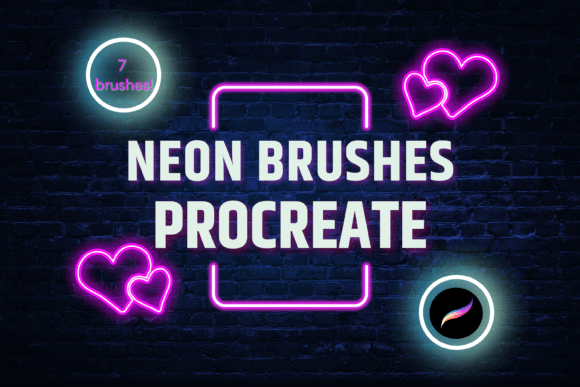
See listing pictures for brushes included to get a visual reference of what each tool offers before you begin. Understanding the specific character of each of the seven brushes—whether it produces a hard edge, a soft diffusion, or a textured tube look—will help you select the right tool for the job immediately, rather than experimenting blindly during a project deadline.
Practical Applications in Modern Design
The versatility of Neon Brushes for Procreate X 7 extends beyond fine art. In the realm of graphic design, these brushes are invaluable for creating eye-catching social media graphics, event posters, and brand identities that aim to convey energy and modernity. The ability to quickly generate glowing text effects means designers can iterate on typography concepts faster than ever before.
In the gaming and entertainment industries, concept artists use similar techniques to visualize futuristic environments. The immediate feedback loop provided by Procreate, combined with the realistic output of these neon brushes, allows for rapid prototyping of lighting schemes. Artists can test how different colors interact with each other in a dark environment, ensuring that the final render will have the desired emotional impact.
Moreover, these brushes are excellent for educational purposes. Teaching students about light, color theory, and digital layering becomes more engaging when they can see immediate, vibrant results. The tactile nature of drawing with an Apple Pencil, combined with the visual reward of glowing lines, helps reinforce the connection between hand movement and digital output.
Maximizing Visual Impact
To get the most out of your investment, consider the color palette carefully. Neon colors are typically highly saturated hues like electric blue, hot pink, lime green, and vivid orange. When using Neon Brushes for Procreate X 7, pair these bright tones with complementary dark backgrounds to maximize contrast. Avoid using too many competing neon colors in a single focal area, as this can lead to visual fatigue. Instead, use one dominant neon color and support it with subtler glows or white highlights.
Remember that less is often more. A single, well-placed neon line with a carefully adjusted Gaussian blur can be more striking than a canvas filled with chaotic glowing scribbles. Use the opacity slider to create depth, making distant lights dimmer and softer, while keeping foreground elements sharp and intense. This atmospheric perspective adds a three-dimensional quality to your two-dimensional artwork, drawing the viewer’s eye exactly where you want it to go.
Ultimately, these brushes are a gateway to a specific aesthetic that defines much of contemporary digital culture. By mastering their nuances, understanding the technical requirements, and applying them with intention, you can elevate your digital art from simple illustrations to luminous experiences. The combination of human creativity and specialized digital tools like these represents the forefront of modern artistic expression.