Mastering Marker Brushes Procreate
Digital illustration has evolved far beyond flat vectors and sterile lines. Today, creators crave texture, imperfection, and the tactile feel of traditional media. This is where Marker Brushes Procreate tools become essential assets in your digital toolkit. Whether you are a seasoned illustrator, a graphic designer looking to add warmth to client work, or a hobbyist exploring new styles, the right brush set can bridge the gap between analog charm and digital efficiency.
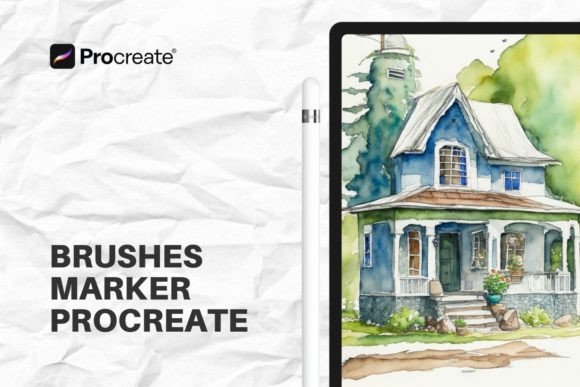
The appeal of marker-style art lies in its boldness and immediacy. It mimics the alcohol-based markers popularized by fashion illustrators and architectural sketchers, offering vibrant blends and distinct strokes. However, finding a digital solution that captures this nuance without feeling repetitive or artificial can be challenging. A well-crafted set does more than just paint color; it simulates the interaction between ink, paper, and pressure.
The Power of Dry and Wet Dynamics
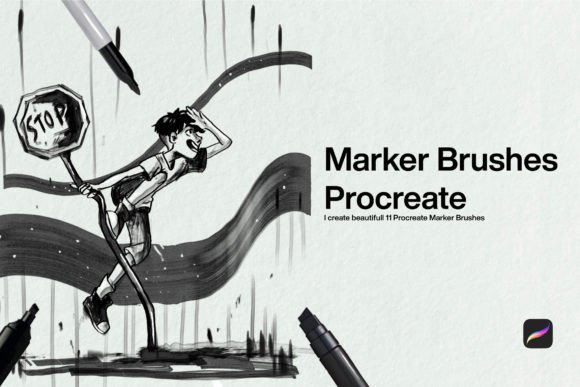
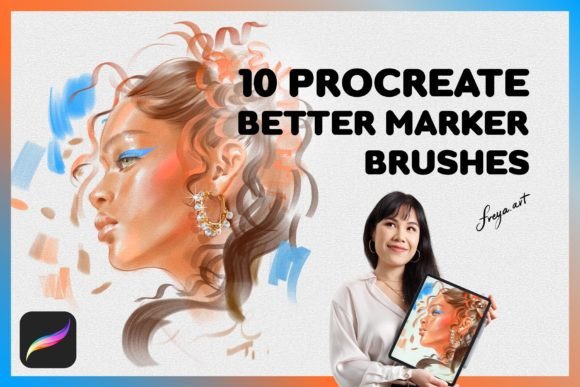
Understanding the difference between dry and wet media is crucial for achieving realistic results. A comprehensive Set of 10 Procreate Marker Brushes typically divides these tools into two distinct categories: five dry marker brushes and five wet marker brushes. This division is not arbitrary; it reflects how artists actually work.
Dry Marker Brushes are designed for precision and texture. They mimic the look of a marker that is running low on ink or being used on rougher paper. These brushes are ideal for initial sketches, hatching, cross-hatching, and adding grainy details. They provide control, allowing you to build up layers of color without immediate bleeding. Think of them as your structural tools, perfect for defining edges and creating depth through stippling or linear shading.
In contrast, Wet Marker Brushes simulate the fluidity of fresh ink. These brushes excel at blending, gradients, and broad coverage. When you layer a wet brush over a dry stroke, you get that authentic alcohol-marker effect where colors bleed into one another organically. This capability is vital for creating smooth transitions in skin tones, sky gradients, or soft shadows. The interplay between the dry and wet brushes in the set allows for a dynamic workflow that feels intuitive rather than forced.
Enhancing Realism with Texture
One often-overlooked aspect of digital art is the canvas itself. Drawing on a perfectly smooth glass screen can sometimes make artwork feel sterile. To counteract this, many professional brush sets include bonus assets, such as a Fine Paper Texture. Integrating this texture into your workflow adds a subtle grain that breaks up digital uniformity.
When you apply your marker strokes over a fine paper texture, the ink appears to sit within the fibers of the page. This small detail significantly boosts the perceived quality of your work, making it look like a scanned traditional piece rather than a digital file. It is particularly effective for portfolios, printed merchandise, and social media posts where visual warmth engages viewers. You can adjust the opacity of the texture layer to suit your style, ensuring it enhances rather than overwhelms your illustration.
Practical Applications for Creators
The versatility of Marker Brushes Procreate extends across numerous industries and creative goals. Here is how different professionals can leverage this toolset:
- Fashion Illustrators: Use the wet brushes to quickly block in fabric colors and the dry brushes to render intricate patterns and stitching details. The pressure sensitivity allows for varying line weights that mimic the flow of cloth.
- Interior Designers and Architects: Create compelling concept sketches that communicate mood and materiality. The marker style is industry-standard for quick visualization, and digital tools allow for easy edits and color variations without redrawing entire scenes.
- Brand Designers: Add a hand-drawn touch to logos, packaging, and marketing materials. Hand-lettering created with marker brushes feels approachable and authentic, helping brands connect with audiences on a human level.
- Educators and Bloggers: Produce engaging visual aids and infographics. The bold, clear lines of marker art are highly readable on screens, making them perfect for explainer videos, blog headers, and educational slides.
Optimizing Your Workflow
To get the most out of your brushes, technical setup matters. It is important to note that Procreate brushes are made for Procreate app for iPad and don’t work in other software like Adobe Photoshop. This specialization ensures that the brushes leverage Apple’s PencilKit framework for maximum performance.
For optimal results, use an Apple Pencil. These brushes rely heavily on pressure sensitivity to modulate opacity and size. Light pressure yields delicate, translucent strokes, while firm pressure delivers saturated, bold marks. Experiment with the tilt function as well; some marker brushes respond to the angle of your pencil, mimicking the chisel tip of a physical marker. This feature is invaluable for creating broad fills or sharp edges simply by rotating your hand.
Organization is key when working with multiple brush types. Keep your dry and wet brushes grouped separately in your Procreate library. Start your illustrations with dry brushes for structure, then switch to wet brushes for coloring and blending. Finish by refining details with dry brushes again. This layered approach prevents muddiness and keeps your artwork clean.
Creative Inspiration and Project Ideas
If you are facing creative block, try these project ideas to explore the capabilities of your new tools:
- Botanical Studies: Draw leaves and flowers using only the dry brushes for veins and edges, then fill them with wet brushes. Observe how the colors blend at the edges.
- Urban Sketching: Take a photo of a city street and trace over it loosely. Use the wet brushes for building masses and dry brushes for windows and architectural details.
- Character Design: Create a character sheet using a limited palette. Focus on how light and shadow interact using the blending capabilities of the wet markers.
- Typography Experiments: Write quotes using broad marker strokes. Play with overlapping letters to create secondary colors and depth.
Accessibility and Instant Creativity
Time is a precious resource for modern creators. Waiting for physical supplies to arrive or dealing with complex software installations can stall momentum. With this digital set, you’ll be able to download the brushes right after you complete your purchase – Instant Download. This immediacy allows you to start creating the moment inspiration strikes. Simply import the .brushset file into Procreate, and you are ready to go.
Moreover, digital tools offer sustainability and cost-effectiveness. There are no refills to buy, no caps to lose, and no toxic fumes. You can experiment freely without worrying about wasting expensive materials. This freedom encourages risk-taking and exploration, which are essential for artistic growth.
In conclusion, integrating Marker Brushes Procreate into your workflow opens up a world of expressive possibilities. By understanding the distinct roles of dry and wet brushes, utilizing texture overlays, and leveraging the pressure sensitivity of the Apple Pencil, you can create artwork that is both visually striking and emotionally resonant. Whether you are designing for clients or expressing personal ideas, these tools provide the flexibility and authenticity needed to stand out in a crowded digital landscape. Embrace the blend of tradition and technology, and let your creativity flow with confidence.