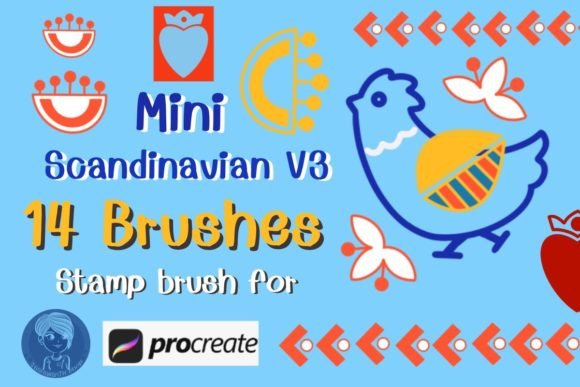
Evaluating the Mini Scandinavian V3 Stamp Brushes for Digital Design Workflows
In the rapidly evolving landscape of digital illustration, efficiency often dictates the quality and volume of output a designer can achieve. For professionals and hobbyists alike, the search for tools that balance aesthetic appeal with functional speed is constant. The Mini Scandinavian V3 Stamp Brushes represent a specific niche within this ecosystem: hand-drawn, scalable assets designed exclusively for the Procreate environment. Understanding whether this toolset aligns with your creative needs requires looking beyond the surface-level charm of the graphics and examining their technical utility, versatility, and fit within broader design workflows.
Defining the Aesthetic and Technical Scope
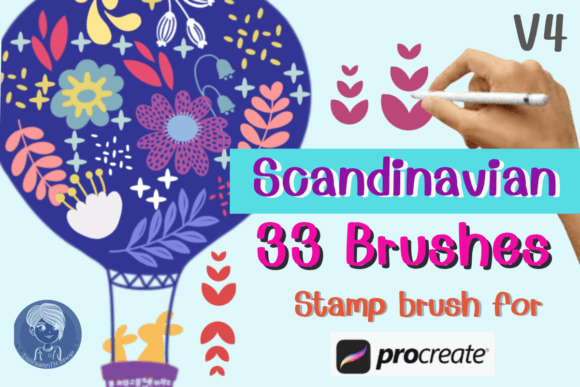
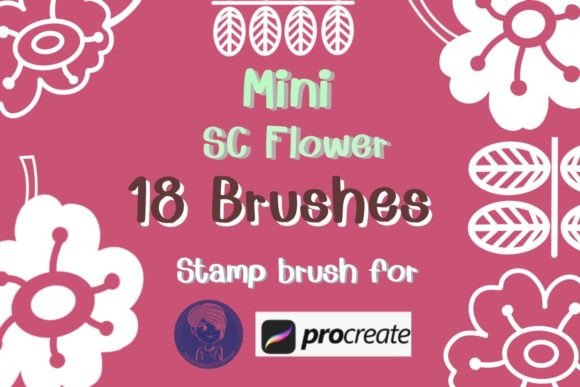
The core value proposition of the Mini Scandinavian V3 collection lies in its distinct visual language. "Scandinavian" in design typically refers to minimalism, functionality, and a connection to nature, often characterized by clean lines, muted palettes, and organic shapes. This brush set encapsulates those principles through fourteen unique stamp brushes featuring mini floral motifs and geometric accents. Unlike standard image imports, these are engineered as native Procreate brushes, meaning they interact with the software’s engine rather than sitting as static layers.
Each stamp is hand-drawn directly within Procreate, ensuring that the texture and line weight feel authentic to the medium. This is a crucial distinction for designers who prioritize a human touch in their digital work. The collection includes both floral elements and complementary graphic shapes, allowing for the creation of cohesive compositions without needing to source assets from multiple libraries. Because they are stamps, the primary interaction model is simple: select the brush, tap the canvas, and the asset appears. However, the simplicity of the action belies the depth of customization available.
Customization and Workflow Integration
One of the most significant advantages of using stamp brushes over static PNGs or JPEGs is the level of real-time adjustment possible. With the Mini Scandinavian V3 Stamp Brushes, users are not locked into a fixed size or color. You can scale and resize each stamp infinitely without the pixelation issues that often plague raster images when enlarged beyond their original dimensions. Furthermore, because they function as brushes, you can adjust opacity, change colors instantly using the active color palette, and modify blend modes.
This flexibility is particularly valuable for iterative design processes. For instance, a graphic designer working on a client’s branding package might need to test various colorways for a logo element or packaging design. Instead of opening external editing software to recolor an imported image, the designer can simply swap the active color in Procreate and tap again. This seamless integration reduces friction and keeps the creator in a state of flow, which is essential for maintaining creative momentum.
Comparing Stamp Brushes to Alternative Methods
To truly evaluate the worth of this tool, it is helpful to compare it against common alternatives used in digital design. The primary competitors to stamp brushes are static image assets (PNGs with transparent backgrounds) and vector graphics (SVGs).
- Static PNGs: While widely available, PNGs require manual resizing and recoloring. If you need a smaller version, you must transform the layer; if you need a different color, you must apply adjustment layers or masks. This can clutter the layer stack and slow down the workflow. Stamp brushes bypass this by generating the asset at the desired size and color upon placement.
- Vector Graphics: Vectors offer infinite scalability and are ideal for print production. However, Procreate is a raster-based program. Importing vectors often requires conversion or results in a loss of the hand-drawn texture that many illustrators seek. The Mini Scandinavian V3 brushes retain the organic, imperfect quality of hand-drawing while offering sufficient resolution for most digital and small-to-medium print projects.
- Manual Drawing: Drawing every flower or geometric shape from scratch ensures total uniqueness but is time-prohibitive for commercial projects with tight deadlines. Stamp brushes offer a middle ground, providing a hand-drawn look with the speed of pre-made assets.
The trade-off here is uniqueness versus efficiency. While the stamps are hand-drawn, they are still repeatable assets. For high-end, one-of-a-kind fine art pieces, an artist might prefer drawing every element manually. However, for commercial applications like social media content, stationery, or surface patterns, the consistency and speed offered by the Mini Scandinavian V3 Stamp Brushes are often more practical.
Practical Use Cases and Versatility
The versatility of this brush set extends across various industries and project types. Its compact, "mini" style makes it particularly suitable for designs where space is at a premium or where subtlety is preferred over bold statements. Consider the following applications:
- Stationery and Invitations: The delicate nature of the Scandinavian flowers makes them ideal for wedding invitations, birthday cards, and thank-you notes. They can be used to create borders, corner accents, or subtle background patterns that do not overpower the text.
- Social Media Content: Influencers and small business owners often need to produce consistent, aesthetically pleasing content quickly. These stamps can be used to embellish Instagram posts, create blog buttons, or add visual interest to quote graphics without requiring advanced illustration skills.
- Surface Pattern Design: By combining different stamps, rotating them, and varying opacity, designers can create seamless repeats or scattered patterns for fabric, wrapping paper, or digital backgrounds. The ability to change colors easily allows for rapid experimentation with different seasonal palettes.
- Branding and Packaging: For brands aiming for a boho, organic, or minimalist aesthetic, these elements can serve as secondary branding assets. They can be incorporated into packaging labels, business cards, or website headers to reinforce brand identity.
It is important to note that while these brushes are powerful, they are compatible only with Procreate. This limits their utility for designers who rely heavily on Adobe Photoshop, Illustrator, or Affinity Designer. If your workflow is multi-platform, you may find yourself needing to export Procreate files and integrate them into other software, which adds a step to the process. Therefore, this tool is best suited for those who have already committed to the iPad and Procreate ecosystem.
Decision Factors: Is This the Right Tool for You?
Choosing the right digital tools involves assessing your current skill level, project requirements, and software preferences. The Mini Scandinavian V3 Stamp Brushes are an excellent choice if you value speed and aesthetic consistency. They are particularly beneficial for beginners who may struggle with drawing complex floral arrangements from scratch, as well as for experienced professionals looking to streamline their workflow.
However, there are limitations to consider. If you require vector scalability for large-format printing (such as billboards or vehicle wraps), raster-based stamp brushes may not provide the necessary resolution without significant file sizes. Additionally, if your design style leans towards hyper-realism, bold maximalism, or intricate detail, the minimalist Scandinavian style may not align with your creative vision.
Ultimately, the decision comes down to fit. If you are creating digital products, printable stationery, or social media graphics within Procreate, and you appreciate a clean, hand-drawn aesthetic, this brush set offers a compelling combination of ease-of-use and artistic quality. It removes the technical barriers of asset management, allowing you to focus on composition and color theory. By understanding both the strengths and the constraints of stamp brushes, you can make an informed decision about whether they deserve a place in your digital toolkit.