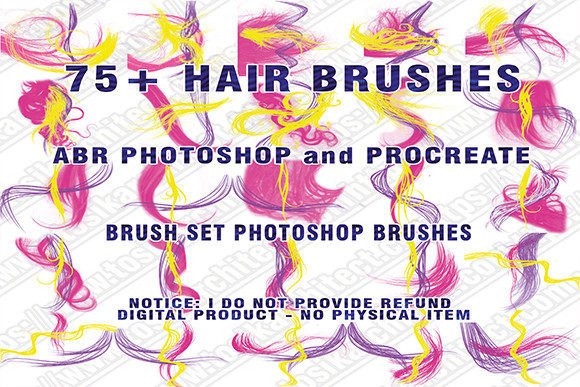
75 Hair Brushes for Photoshop & Procreate
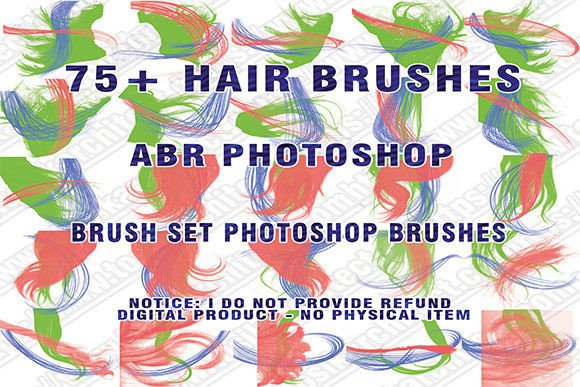
Digital illustration often hits a wall when artists attempt to render realistic hair. Whether you are designing character concepts, retouching portraits, or creating digital fashion assets, hair is notoriously difficult to master. It requires a delicate balance of flow, texture, and lighting that standard round brushes simply cannot achieve efficiently. This is where specialized tools become essential. The 75 HAIR BRUSHES PHOTOSHOP PROCREATE collection offers a comprehensive solution for creators who need precision without the tedious manual labor.
This digital product provides immediate access to seventy-five distinct brush presets designed specifically for rendering hair, wigs, and fur textures. By integrating these tools into your workflow, you shift the focus from technical struggle to artistic expression. Instead of spending hours painting individual strands, you can utilize pre-configured dynamics that mimic natural hair behavior. This set includes formats compatible with industry-standard software, ensuring that whether you are working on a tablet or a desktop workstation, your creative process remains uninterrupted.
Accelerating Workflow in Digital Character Design
For professional illustrators and concept artists, time is a critical resource. Rendering hair manually is one of the most time-consuming aspects of character design. A single portrait can require dozens of layers and hundreds of strokes to achieve a believable look. With this Brush set, you can reduce that production time significantly. The brushes are engineered to respond to pressure sensitivity, allowing for dynamic variation in stroke width and opacity. This means a single swipe can create a tapered strand that looks organic rather than uniform.
Consider the scenario of a freelance artist working on a tight deadline for a client’s comic book or game asset. Using standard tools, they might spend forty percent of their total project time on hair details alone. By switching to these Abr brushes, that time can be cut in half. The variety within the pack ensures that you are not limited to one style. You can switch from coarse, curly textures to sleek, straight flows instantly. This versatility allows artists to maintain consistency across different characters while adapting to unique design requirements.
Enhancing Realism in Portrait Retouching
Beyond illustration, these tools are invaluable for photo manipulation and digital painting. Photographers and retouchers often need to add volume to thinning hair, create flyaways for realism, or completely change hair color and style in post-production. Standard cloning tools can leave repetitive patterns that look artificial. However, using Painted hair techniques with specialized brushes adds a layer of authenticity that viewers subconsciously recognize as real.
The Hair ABR files included in this package allow for seamless integration into Adobe Photoshop. When retouching a high-end fashion shoot, for example, you might need to enhance the shine and definition of a model’s wig. These brushes enable you to paint in highlights and shadows that follow the natural curvature of the head. The result is a polished image that retains its photographic quality while benefiting from artistic enhancement. This capability is particularly useful for marketers and bloggers who need high-impact visuals for social media campaigns without the budget for extensive reshoots.
Versatility Across Software Platforms
One of the standout features of this collection is its compatibility. While primarily formatted as ABR files for Photoshop, the principles behind these brushes translate well to other platforms. Many users successfully import similar brush dynamics into Procreate for iPad workflows. This cross-platform utility makes the set a smart investment for creators who work across multiple devices. Whether you are sketching ideas on a commute using an iPad or finalizing details on a desktop, having a consistent toolkit streamlines your creative pipeline.
It is important to note the technical specifications to ensure smooth operation. The files are compressed in a .ZIP format, so users must have a zip program installed to extract them. Once extracted, the installation process is straightforward for modern versions of Photoshop. However, users should be aware that this set may or may not work partially on very old versions of Photoshop that are no longer supported by developers, such as CS3 or earlier. For optimal performance, it is recommended to use current or recent versions of the software. This ensures that all pressure sensitivity and dynamic features function as intended.
Ideal Users and Practical Applications
Who benefits most from this toolset? The answer spans a wide range of creative professionals. Wigs Photoshop Brushes are particularly useful for costume designers and digital fashion creators who need to visualize different hairstyles on models without physical prototypes. Educators teaching digital art can use these brushes to demonstrate how texture and flow contribute to form, helping students understand the underlying structure of hair rather than just copying shapes.
Small business owners who create their own marketing materials can also find value here. A handmade jewelry seller, for instance, might want to showcase their products on diverse models. Instead of hiring multiple models, they can use digital editing to adjust hairstyles and colors, creating varied promotional images from a single photoshoot. Similarly, publishers and book cover designers can use these Digital brush tools to create striking, stylized portraits that stand out in thumbnail views online.
Maximizing Creative Potential
To get the most out of the 75 Hairbrushes, Wigs ABR Photoshop collection, experimentation is key. Do not limit yourself to using the brushes at full opacity. Try lowering the flow to build up color gradually, mimicking the translucency of fine hair. Combine different brushes from the set to create complex textures; for example, use a broad brush for the base shape and a finer brush for stray hairs and frizz. This layering technique adds depth and prevents the digital art from looking too clean or plastic.
Additionally, consider the lighting in your composition. Hair reflects light differently depending on its texture. Curly hair creates multiple small highlights, while straight hair has broader, smoother reflections. Adjust your brush settings to match the lighting direction in your scene. This attention to detail elevates the overall quality of your work, making it appear more professional and polished.
Technical Considerations and Best Practices
While these tools are powerful, they are not a substitute for understanding anatomy and light. They are aids that accelerate the execution of your vision. Users should still study reference images to understand how hair grows and moves. The brushes provide the texture, but the artist provides the structure. Furthermore, always keep your software updated. As mentioned, older versions like CS3 may face compatibility issues. Ensuring you are running a supported version of Photoshop guarantees access to the latest brush engine improvements, which handle spacing and scattering more efficiently.
Remember that this is a digital product. You download the file and receive the hair brushes in .ABR format. There is no physical shipment involved, which means you can start using them immediately after purchase. This instant access is ideal for those facing urgent deadlines or sudden bursts of inspiration. Keep the downloaded ZIP file backed up in a cloud service or external drive to ensure you never lose access to your toolkit.
In conclusion, the 75 HAIR BRUSHES PHOTOSHOP PROCREATE set represents a practical investment for any digital creator serious about improving their efficiency and output quality. By reducing the technical friction of rendering complex textures, it frees you to focus on storytelling and design. Whether you are a seasoned professional or an enthusiastic hobbyist, these tools offer the flexibility and precision needed to bring your digital characters and portraits to life with confidence and ease.